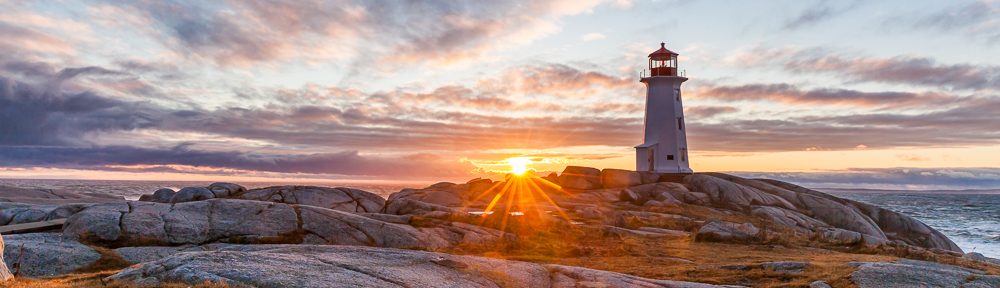

In our last lesson on depth of field we discussed that the aperture, focal length and the distance to the subject (focus point) determines how much of the image is within acceptable focus. With any given camera, aperture setting, and focal length there is an optimum point at which to focus that will maximize the amount of the image that will be within acceptable focus. This optimal focus point is referred to as the “hyperfocal distance“.
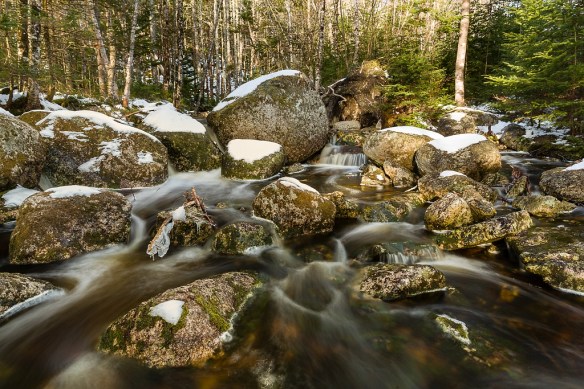
f/16, 2sec, ISO 100, @24mm
The stream image was shot with an aperture of f/16 at a focal length of 24mm, looking at the table, generated from DoFMaster Depth of Field Table calculator, we can see that by focusing at 5 feet the whole image from about 2 feet 3 inches to infinity (∞) will be within acceptable sharpness. This worked out well because the foreground rock was about 6 feet away. looking at the table again, you see I could have used f/11 at 1sec focused at 6 feet to achieve the same result. From the table, notice the difference at f/11 and 5 feet which does not achieve infinity and as a result would not have worked.
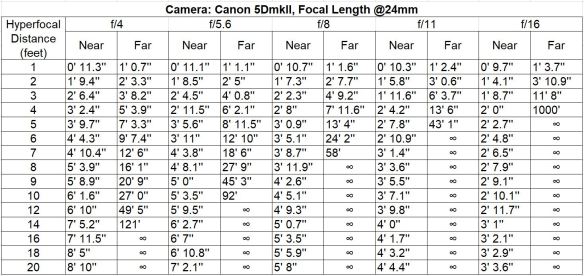
Understand that “acceptably sharp” does not mean that your image will be tack sharp throughout the entire image using the hyperfocal distance technique. It has been suggested by experienced landscape photographers that focusing using 2x the hyperfocal distance will achieve a much improved sharpness to the entire image.
Take a look at the following YouTube video resources on focusing techniques, pay close attention to how each one of these landscape photographers decide on their focus point as it’s important to understand what condition or assumption they are making in any specific case.
■ Nigel Danson, Mastering Focus, YouTube video (18 min 5 sec)
■ Thomas Heaton, Where did I focus, YouTube video (17 min 40 sec)
■ Dave Morrow, My sharp focus camera technique, YouTube video (27 min 5 sec)
Now that we have reviewed the main aspects of aperture, in the next blog post we will move on to our next important camera setting the shutter speed.