May Theme Challenge – “Your Local Zoo”

The theme challenge for May 2022 is “Your Local Zoo“. This month the assignment is to go to a zoo near you and enjoy capturing some animals that you may not have had the chance to photograph before. You’ll contribute to supporting the work they do at your local zoo when you pay admission and you’ll get an opportunity to photograph various types of animals up close.

Two well known Zoo’s in Nova Scotia are the Shubenacadie Wildlife Park and Interpretive Centre located in Shubenacadie, Nova Scotia known for it’s variety of animals and birds native to North America and the Oaklawn Farm Zoo located in Millville Nova Scotia known for it’s various exotic and native breeds of animals, birds and reptiles.


There are many challenges to getting good images while at a zoo and we’ll discuss some techniques that will help through showing sample images which will re-enforce the tips presented. The main problem we face as photographers at a zoo is the wire fencing to make it disappear from our images. There are a number of key elements that will help make better images:
■ overcast weather minimizes the glare on the fencing, or find a spot where the fence is in the shade
■ get as close to the fence as possible
■ wait for the subject to be further away from you
■ use a longer focal length lens such as 100mm – 500mm with a wider aperture such as f/4 – f/8 this will blur out the fence that is between you and the subject, pick the aperture that blurs out the fence but also has enough depth of focus to have the subject sharp
■ use a single continuous focus point and focus in a clear spot of the fence, if your having trouble you may need to switch to manual focus, remember to focus on the subjects eye
■ wait until your subject is away from the fence to the subjects left or right so its out of the image frame
■ also wait until the fence behind the subject is further away too so the fence will be blurred out in the background
■ a tighter crop will also help with removing fencing and other distractions from your images
■ Photoshop may be required to cleanup the fencing that was not removed with in camera techniques as described above, you also may want to completely replace the background depending on the in camera result

Let’s see what Local Zoo images you create this month. If you want to share your image there is no facility to upload your image here, however just paste your social media link to the image in your comment and we’ll be able to see your image. Please note comments are moderated so it will not show up right away, however we do get a notification when any comment is posted so it won’t take long to get approved and subsequently show up.
As an example; take a look at the sample comments for an Instagram image and Facebook image at the bottom of the September 2021 Monthly Theme – Water blog post. By posting your social media link of your image in your comment, it gives us, or anyone visiting the bog, a chance to not only see your image for the challenge but also the ability to look at your other work as well by visiting your social media through your link. Again the comments here are moderated, we want sharing to be a positive experience. We hope you have fun this month with this challenge.

The first image of the Siberian Tiger, Zarina, was taken at a low angle, remember its important to get to eye level so the viewer feels connected to the subject. This image was taken at Oaklawn Farm Zoo as the Tiger was pacing around the pen. I used a longer focal length, 400mm, to isolate the head and neck of the subject removing the fencing from the right side of the subject and minimizing the background which is also out of focus due to the focal length, aperture and position of the subject away from the camera and background.

The image of the female African Lion, taken at Oaklawn Farm Zoo, below is a composite image meaning I replaced the background using Photoshop with an image of a field because the Lion did not move a way from the fence background. As in this case if the need arises to replace the background keep an eye out for background image possibilities at the zoo or surrounding area with the same light and colour so the composite will look as natural as possible. Always keep an eye out for possible scenes to use as backgrounds just in case the in camera image did not work as hoped. If you do not have access to Photoshop checkout a free online web browser based alternative called Photopea which will allow you to achieve background replacements.

The horses shown below, taken at Oaklawn Farm Zoo, were composed tightly to remove the surrounding distractions

The next four images shown below were taken at the Shubenacadie Wildlife Park. This image of the Cougar was using a longer focal length to blur out the fence close to the camera and a tight composition to remove the fence on the right side, however the Cougar did not move a way from the fence in the background, so I used Photoshop to remove the fence.

The image of the Arctic Wolf with the reflection was taken with a longer focal length and composed tightly to remove the fence for the left of the Wolf, however the background was his wooden den and as a result I replaced the background using Photoshop.

The image of the Timber Wolf was taken as the Wolf was pacing around it’s pen and I waited until the Wolf was in a position that gave a clean more natural background before I captured the image. The Timber wolf was in the optimum position in the pen, being far enough away to blur out the fence, a great background, and in good light.

The Red Fox image is a composite replacing the background because the pen just did not have any angles that I could position myself to get a good background. The background for the Fox image was shot at the zoo and used to replace the background using Photoshop.

As you can see from the examples above that it’s challenging to get all of your images successfully in camera, and may require some Photoshop work to get a final image. In any case you can see it’s possible to create successful images. It’s well worth the experience, to get out for some fresh air, exercise, as well as support your local zoo.

With our monthly theme challenges we try to seek out an instructional resource, below are a few YouTube video links to help with some hints and ideas.

Zoo Photography instructional aids:
5 Tips For Taking Great Photos At The Zoo with Laurie Rubin: by Laurie Rubin [ViewBug] (14min 13sec)
No Fences Ep 137: Take and Make Great Photos with Gavin Hoey: by Gavin Hoey [Adorama] (12min 2sec)
How to Remove Fence Lines: Photoshop Tutorial #49: by Glyn Dewis (16min 5sec)
Remove Fence with 3 Simple Steps in Photoshop: by PiXimperfect (15min 33sec)

Students are encouraged to develop their ability to tell a story or invoke an emotion, as well as how to plan and troubleshoot while creating their images. As such it’s important to not only create the image but to also include a “title”, and write a short paragraph about; how they came up with the idea, any interesting back ground that compelled them to make the image, and describe any techniques on how they overcame any obstacles.

An important part of improving your photography is practice, which is one aspect of the monthly theme challenge, in addition you have an opportunity to learn about different genres, techniques and tips.
April Theme Challenge – “The Moon”

Although a bit late, for this month, April 2022, the theme challenge is “The Moon”. This month the assignment is more challenging from a technical perspective and it requires a bit of planning as well as some specific gear. Your goal is to shoot a single image of the moon either on it’s own or in a landscape.

The moon varies in brightness due to the amount of ambient light from the sun. The colour of the moon is determined by the reflected light from the sun including the angle of the sun in relation to the moon and the atmospheric conditions. The best time of day is when the moon is rising as the sun is setting or when the moon is setting just before the sun is rising.

For images of the moon, go out at the edge of twilight. From last month’s challenge we learned that Civil twilight is the most favourable time within the “Blue Hour” to take photos when we observe the most beautiful colourful light.

Here are some specific tips that will help getting a great image:

The location of the moon in relation to the landscape. It is important to pick a landscape that is further away so that you can achieve a sharp landscape and sharp moon.

Choose a longer focal length such as 200mm or longer so the moon will look larger in your image similar to what your eyes see. Also choose a smaller aperture f/8 – f/11.

Adjust your exposure for the highlights which is the moon, the landscape may be slightly darker but if exposed correctly you will be able to increase the shadows in post processing to bring out enough detail in the landscape. Carefully consider your shutter speed because the earth is moving and as a result the moon will appear to be moving so choose a faster shutter speed say 1/60 to 1/125. It may require a higher ISO setting to get the correct exposure.

Shooting in low light and at longer focal lengths such as 200mm etc… it’s important to use a tripod to ensure sharp images. It’s a good idea to turn off image stabilization, however this depends on your gear as some equipment with newer technology may not be required this step so it’s important to know your gear.

Post processing is typically required to adjust the brightness of the shadows to bring out the detail in the landscape.

Let’s look at some image examples.

First we start with closeup images of the moon with no landscape taken with a longer focal length. The first image is taken when the moon is higher in the sky and as a result there is no colour. The second image is an image of the moon that was not at the horizon and a bit higher in the sky but the colour was influenced by the atmosphere due to the smoke dust from the forest fires across Canada that year. The third image is more dramatic due to the clouds and the light off the moon and clouds creating a more dramatic image. Remember to keep an eye on the news and the weather to determine when it is a good time to go out and capture your image.

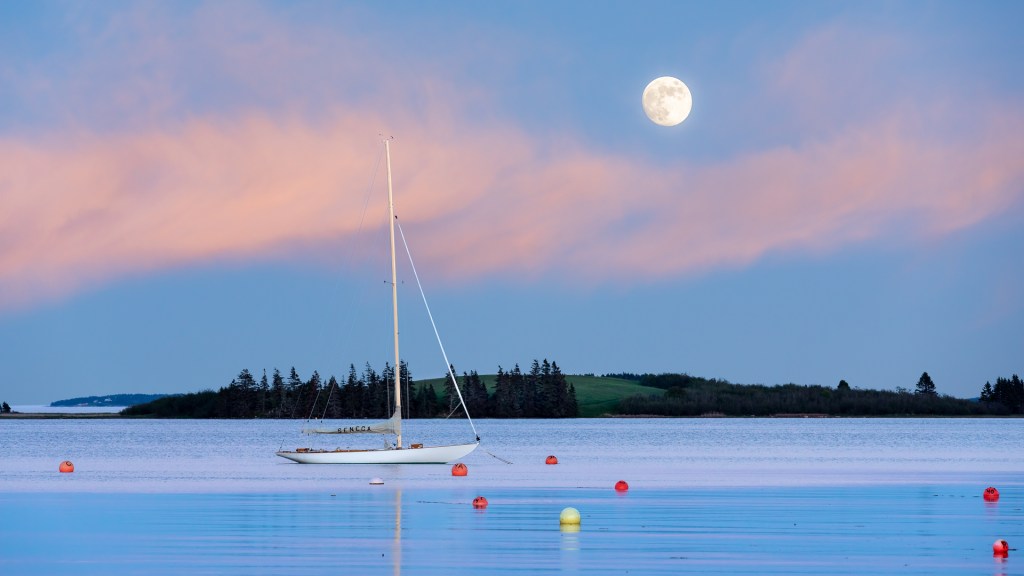
When choosing a location to include the landscape it’s important to pick a landscape subject that is further away so you can use a longer focal length to have the moon appear larger in your image. You can use the PhotoPills app or the TPE app to help plan. Remember to watch the moon rise/set in conjunction with the sun set/rise during the month to pick the right time to get the best image possible. Each of these images are a single shot and enhanced using post processing to bring out the landscape detail.

Even if you only have a mobile phone and do not have a longer focal length you can get an image where the moon can enhance your image. It just takes timing. In this image I saw the clouds moving and the moon’s position changing in relation to the clouds and was hoping the moon would appear as an eye in what I called the dragon cloud. I took a number of shots so I would not miss the exact moment with the moon in the right position. Although more challenging just be observant while you are out taking images, you never know what you’ll see and capture.

Let’s see what images you create of the moon this month

Students are encouraged to develop their ability to tell a story or invoke an emotion, as well as how to plan and troubleshoot while creating their images. As such it’s important to not only create the image but to also include a “title”, and write a short paragraph about; how they came up with the idea, any interesting back ground that compelled them to make the image, and describe any techniques on how they overcame any obstacles.

An important part of improving your photography is practice, which is one aspect of the monthly theme challenge, in addition you have an opportunity to learn about different genres, techniques and tips.