How “ISO” plays a role in exposure

In film (analog) photography, ISO is referred to as film speed which is actually the sensitivity of the film to light based on a scale created in 1987 by the International Organization for Standardization.

With digital technology the ISO setting on the camera controls the amplification of the image sensor which simulates the sensors sensitivity to light.

Digital sensors set to higher ISO values experience similar limitations as with film, where the noise in the image will increase as the ISO is increased. Digital noise is not as uniform nor as pleasing as film grain, however, software in the camera and in post-processing applications have improved to better control/reduce the digital noise.

©Trevor Awalt_MG_6570

f/8, 1/400, ISO 1000, @ 400mm

The digital noise in the resulting photograph depends on a number of factors, the age and type of camera sensor (technology), the processing engine of your camera, the ISO setting and the exposure. Notice with the image of the duck even though taken at an ISO of 1000 the resulting image is still of good quality.

We have learned so far that “aperturecontrols the amount of light into the camera and “shutter speedcontrols the amount of time the light is available to the sensor are the two controls to determine exposure. The third and final control for exposure is the “ISO” setting which controls the simulated sensitivity of the sensor to light. The ISO setting can affect the quality of your image in relation to digital noise, the lower the setting the less noise verses the higher the setting the more noise.

To find out how to set the ISO setting on your camera, refer to a previous lesson How to set your Camera’s; Aperture, Shutter Speed, and ISO.
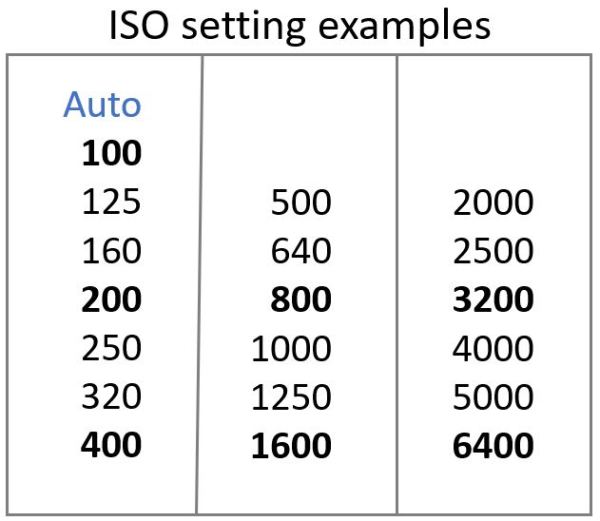
©Trevor Awalt_ISO Setting Examples

Depending on the mode you have selected or the type of camera, you can control the ISO setting in full stops, typical values shown in bold, or 1/3 stop increments.

Now that we have learned all three controls, aperture, shutter speed and ISO as well as the creativity aspects of each, we now have the knowledge to discuss exposure in our next lesson.
“Motion” the creative control behind shutter speed

Up to this point we have chosen shutter speed settings based on freezing subjects, although this provides the sharpest image there are times where we may want to show some motion by allowing movement to be blurred which is the creative aspect of shutter speed.

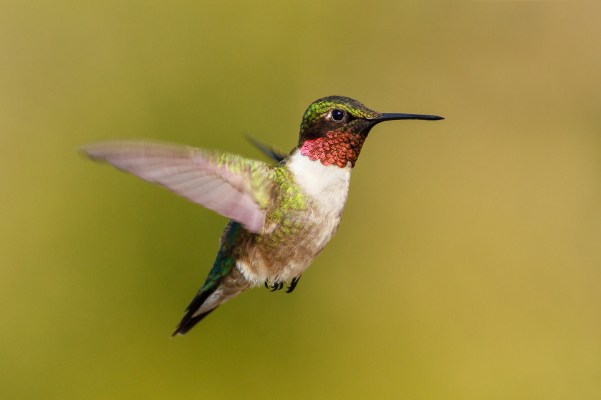
©Trevor AwaltIMG_7970-Edit

f/6.3, 1/1000, ISO 400, @ 400mm

Even with fast shutter speeds with the intention of freezing the subject, very fast movement shows up as image blur. In the above image, the speed of North American humming bird wings average about 53 beats per second, that’s all the way down to all the way up 53 times. Notice that even at 1/1000 of a second shutter speed it is still not fast enough to freeze the motion of the humming bird’s wings. With the wings blurred the viewer feels a sense of motion. This is intentional as we want the viewer to see past the typical two dimensional photograph and feel more than just a bird suspended/frozen in mid air.

Setting a slow shutter speed for a waterfall is one of the first techniques that we learn as photographers, as seen in the images above the shutter speed on the left is 1/80 of a second which is a relatively fast speed for moving water. Notice the chaotic movement and definition with the water at 1/80 of a second setting. By setting a much slower shutter speed, in this case 20 seconds, the image on the right now reveals the background and there is definition in the edges of the water which now shows a creamy look representing the movement, projecting a more relaxing feeling when viewing the image. When choosing slow shutter speeds you need to stabilize your camera, typically by using a tripod.

©Trevor AwaltIMG_7769_s

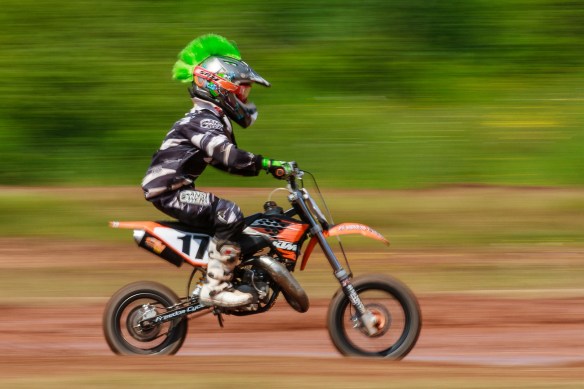
f/25, 1/30, ISO 100, @ 200mm

Another technique using slow shutter speeds for moving subjects is called “panning”. The difficulty is to obtain a low enough shutter speed, use the lowest ISO and a small aperture. The technique is to hold the camera steady while continually following the motocycle at the same speed while you press your shutter button. This technique gives the viewer a feeling of motion and of speed.

©Trevor Awalt_MG_5734

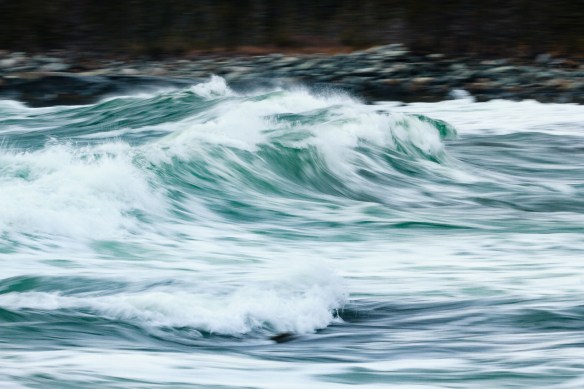
f/20, 1/15, ISO 100, @ 150mm

Using a tripod the panning technique can also be used with waves. The important technique here is to be at an angle of 90˚ to the water to follow the wave as it moves to the shore. Notice how the rugged shoreline is blurred and does not distract from the subject and the wave has pleasing smooth lines.

©Trevor Awalt_MG_8278

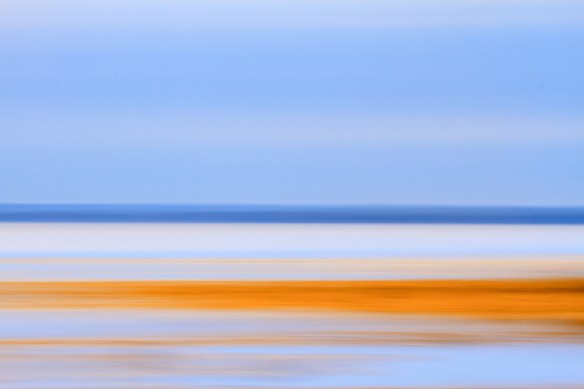
f/16, 0.6 sec, ISO 100, @ 150mm

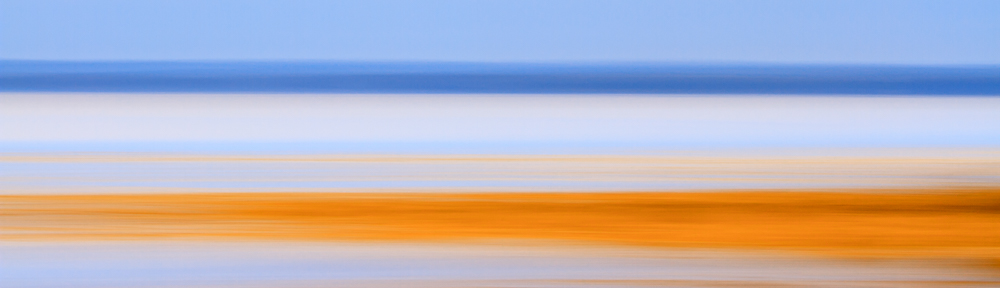
If you are out late in the day or on a low light day, you may think there is not much to photograph. Get creative and try a panning image, again using a tripod, of the shoreline or at a beach, you may be surprised at the results.

Now that we have discussed the exposure and creative aspects of shutter speed, in our next lesson we’ll take a look at ISO.